 (713) 965-7200
 How to Properly Wipe and Dispose of Old Devices to Prevent a Data Breach


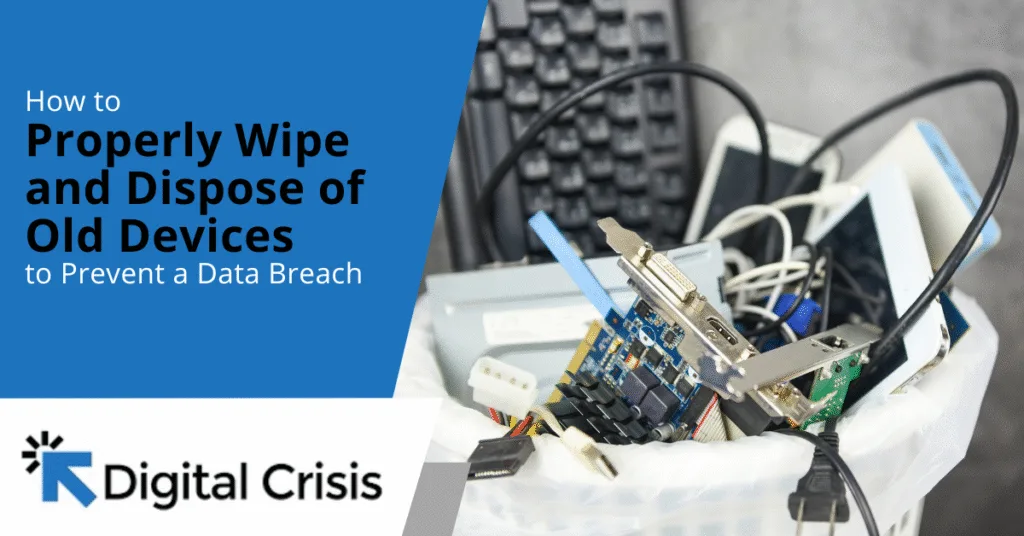
You finally upgraded your firm’s laptops, or maybe you just replaced your old smartphone. It feels great to move to something faster and more efficient. But before you toss that old device, are you sure that your data is completely erased? Or do you worry that your firm’s confidential files could fall into the wrong hands?
Many assume that deleting files or doing a quick factory reset is enough to erase sensitive information. Unfortunately, those actions are not enough. Even after files are deleted, data fragments often remain on the device’s storage. Failing to follow proper data protection regulations can even lead to fines and reputational damage. Meanwhile, cybercriminals can use simple recovery tools to retrieve everything, including sensitive client details and financial records.
Our team understands how stressful it can be to discover, too late, that your data might still be stored on a discarded device. That’s why we’ve created simple, reliable strategies to help you retire old equipment safely, no technical expertise required.
The Best Way to Wipe and Dispose of Old Devices
Back Up What You Need
Before wiping your device, label and organize your data backups based on departments or file types. This makes retrieval much easier and ensures nothing gets overlooked. You can also create multiple backup copies stored in different locations, such as a cloud drive and an encrypted external hard drive. This minimizes the risk of losing important information if one backup fails or becomes inaccessible. Afterward, verify your backups to ensure files are not corrupted.
Perform a Full Factory Reset or Secure Wipe
As we mentioned before, deleting files or emptying your recycle bin doesn’t erase data. It only removes the file’s reference from the system, leaving the information recoverable. You must perform a full factory reset to overwrite every bit of information on the storage drive. Here’s how:
For computers:
- Use tools like DBAN, Blancco Drive Eraser, or built-in utilities such as “Reset this PC” on Windows or “Disk Utility” on macOS. These options can securely overwrite data and restore your system to factory settings.
For smartphones and tablets:
- On Android: Go to Settings > System > Reset Options > Erase All Data (Factory Reset).
- On iOS: Go to Settings > General > Transfer or Reset iPhone > Erase All Content and Settings.
- For external drives or USBs: Use disk management software or data sanitization tools to perform multiple overwrite passes.
Remove and Destroy Physical Storage If Applicable
Even after completing a secure wipe, physically destroying your storage device provides an additional safeguard, especially when dealing with data.
You can remove the hard drive or SSD from your device, then use a hammer, drill, or a professional shredding service. This eliminates any chance of recovery, guaranteeing that your data is out of reach once the device is disposed of. You can even recreate the printer destruction scene from “Office Space” if you want!
Dispose of Devices Responsibly
Once your device is securely wiped or its storage destroyed, it’s time to dispose of it properly. Avoid throwing your electronics into the trash, as it is unsafe and illegal in many regions. Instead, work with e-waste recyclers who are R2-certified and e-Stewards-certified, ensuring ethical recycling.
And if you’re unsure where to start, most electronics brands like HP and Apple offer take-back or trade-in programs, which include secure data destruction and proper recycling.
You may also document the recycling partner’s credentials and request a certificate of destruction whenever possible. This serves as legal proof that the device and its data were handled safely and in compliance with environmental and privacy standards.
Keep a Disposal Log for Future Audits
If you manage multiple devices or run a business, it’s important to track each device’s end-of-life process. Ideally, your device disposal log should include:
- The device type and serial number
- The date of data erasure or destruction
- The method used (software wipe, physical destruction, etc.)
- The name of the responsible person or vendor
An audit trail helps your firm demonstrate compliance with data protection regulations such as GDPR or CCPA, and supports best practices for handling sensitive client information responsibly.
Don’t Let Old Devices Compromise Your Data Security
According to Statista, nearly 94 million data records were exposed in global data breaches during the second quarter of 2025 alone. Even a single computer or hard drive can put your firm and your clients’ confidential information at risk and compromise your network security.
Before recycling or reselling any device, ensure that your data is permanently erased. Follow the steps outlined above, or if you manage multiple devices, work with a certified data destruction company that guarantees secure disposal and provides proof of erasure.
At Digital Crisis, we help law firms protect their data through professional device sanitization and disposal services. Our team will ensure that no trace of your information remains, safeguarding your firm from the costly consequences of a data breach. Get in touch with us to learn more about our device disposal and data protection services.